
An AI tool does not need the contents of a shared drive just because the team can access it. If the job is to sort client enquiries and draft replies, the first version may need five sample messages, an approved service guide and a clear review step. It does not need names, payment details or a complete inbox export.
Four questions help a team set that boundary before anyone uploads a file: what output is needed, which information is essential, what should stay outside the tool and who reviews the result.
Set the boundary
Decide the output before gathering information
Begin with one job that a colleague can describe in a sentence. For example: categorise five common client enquiries and draft a response structure using approved service information.
That definition removes several decisions from the tool. It is not being asked to identify a client, interpret their account history or make a promise on the business's behalf.
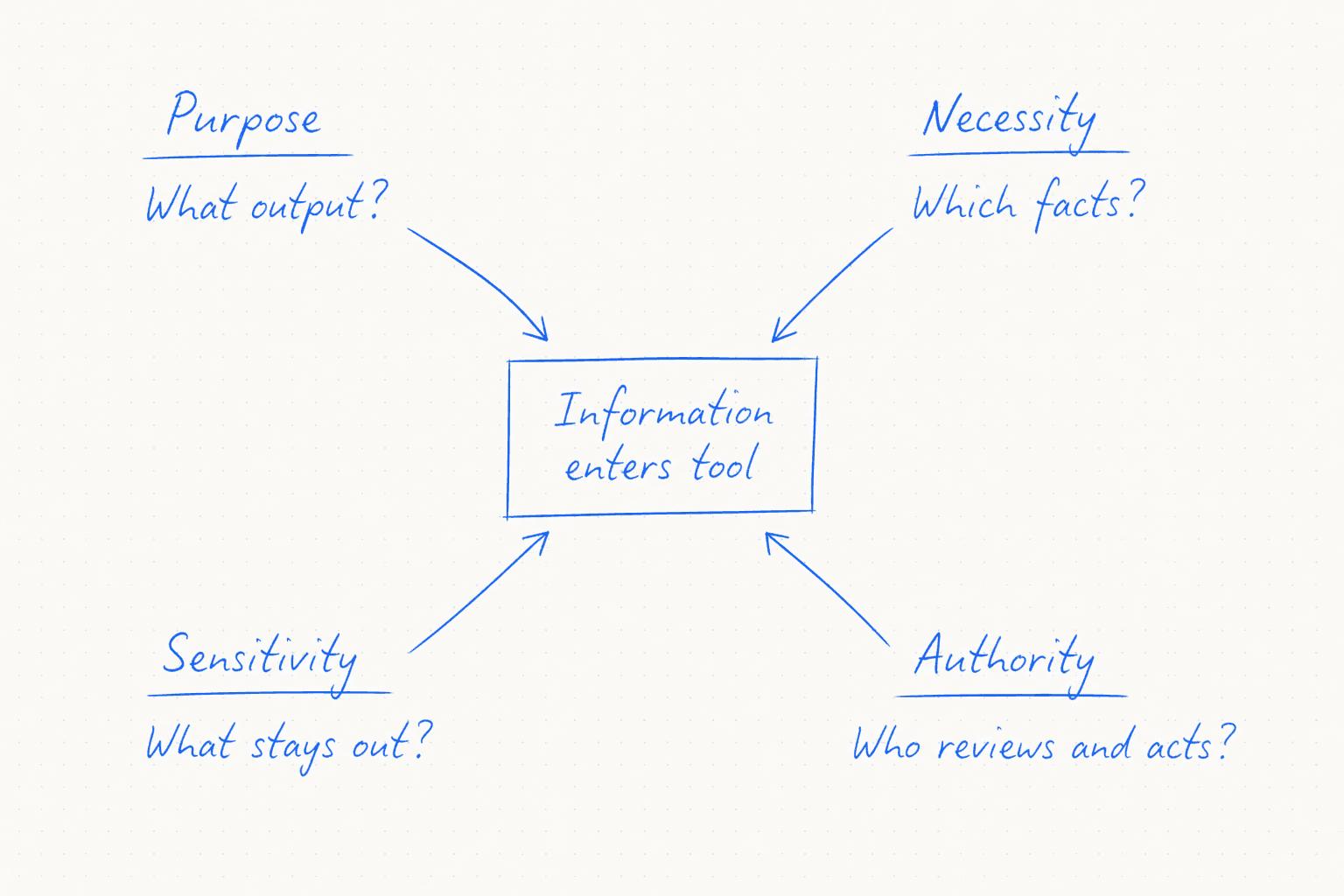
Before preparing the input, answer four questions.
- Purpose: What exact output should the task produce?
- Necessity: Which facts are required for that output to be useful?
- Sensitivity: Which identifying, confidential or secret details can be removed or replaced?
- Authority: Who checks the result and who is allowed to act on it?
Four handwritten questions about output, required facts, excluded information and human authority point towards a bounded information entry point.
If the purpose is still vague, the team is not ready to choose the information.
Start smaller
Build the first trial with fictional information
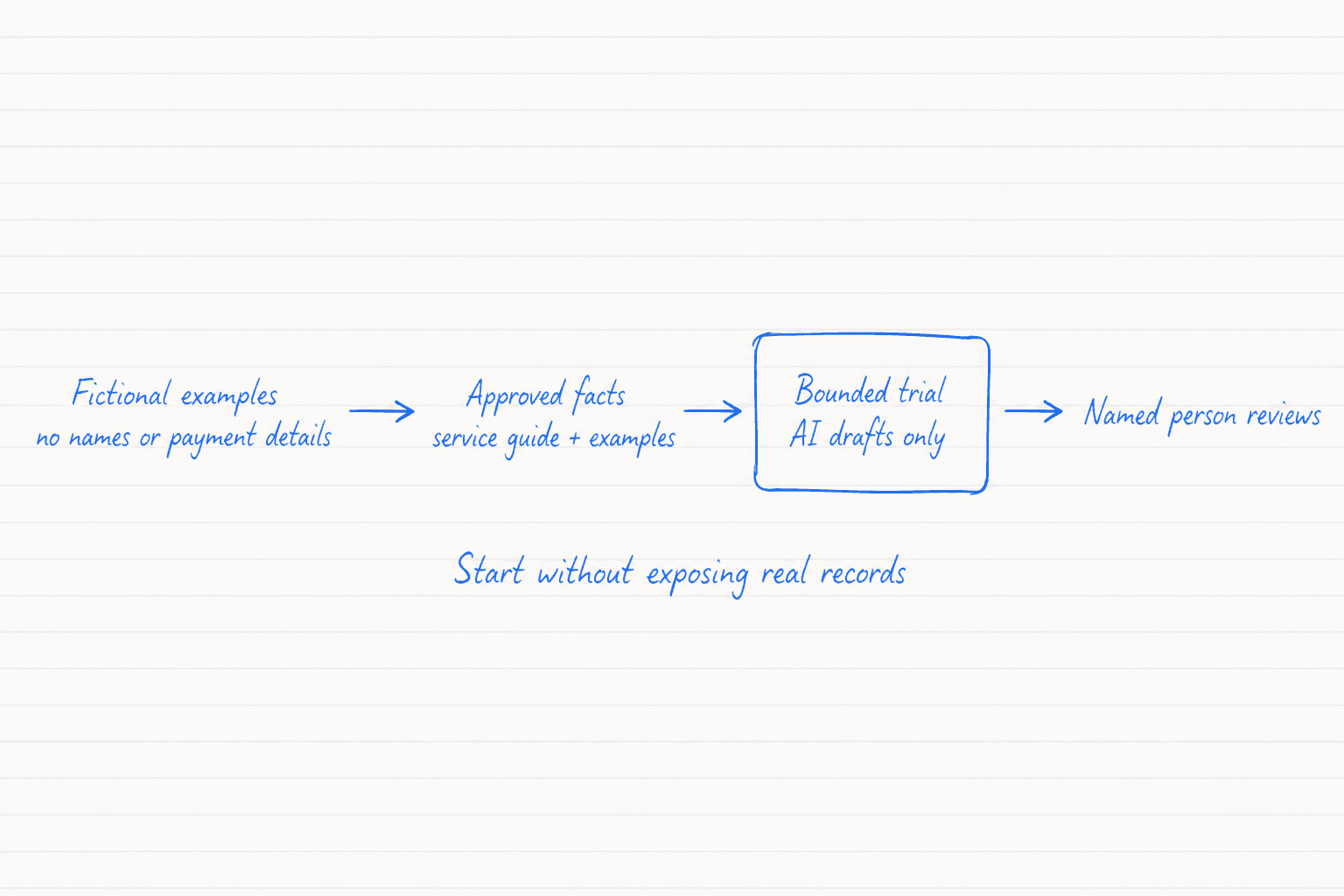
Create five fictional enquiries based on situations the team sees regularly. They should resemble the shape of the work without reproducing real messages or identifying anyone.
Give the tool the approved facts it needs, two examples of the preferred writing style and a defined output format. Ask it to flag missing information rather than fill gaps. Keep every reply as a draft for a named colleague to review.
OpenAI Academy's small-business workshop uses four prompting supports: Goal and Context, followed by Output and Boundary. Its guidance also recommends sharing only what the task requires. It suggests using public or synthetic information where possible. Aggregated or properly de-identified information can also reduce exposure.
A handwritten route moves from fictional examples without names or payment details through approved facts and a bounded drafting trial to review by a named person.
Reduce the input
Keep unnecessary information outside the tool
Passwords, payment details and access credentials should not enter a reply-drafting exercise. A complete inbox export is also unnecessary when a handful of fictional examples can test the method.
Other boundaries depend on the job. An approved contract clause may be needed when an authorised colleague reviews that contract. The same clause may be irrelevant when the task is only to classify an enquiry.
Removing a name does not always make information anonymous. A job title, location and unusual event can still identify someone when combined. Use obvious placeholders and generalise details unless the exact information is essential to the stated output.
Connected tools need the same check. Anthropic says Claude for Small Business preserves existing permissions and asks users to approve work before it sends, posts or pays. Those are claims about that product. Each organisation still needs to verify the controls and approval behaviour of the tools it has chosen.
Check the result
Review the draft against approved sources
A fluent answer can still contain an unsupported price, deadline or policy. Reviewers need to trace the draft back to the information the team supplied.
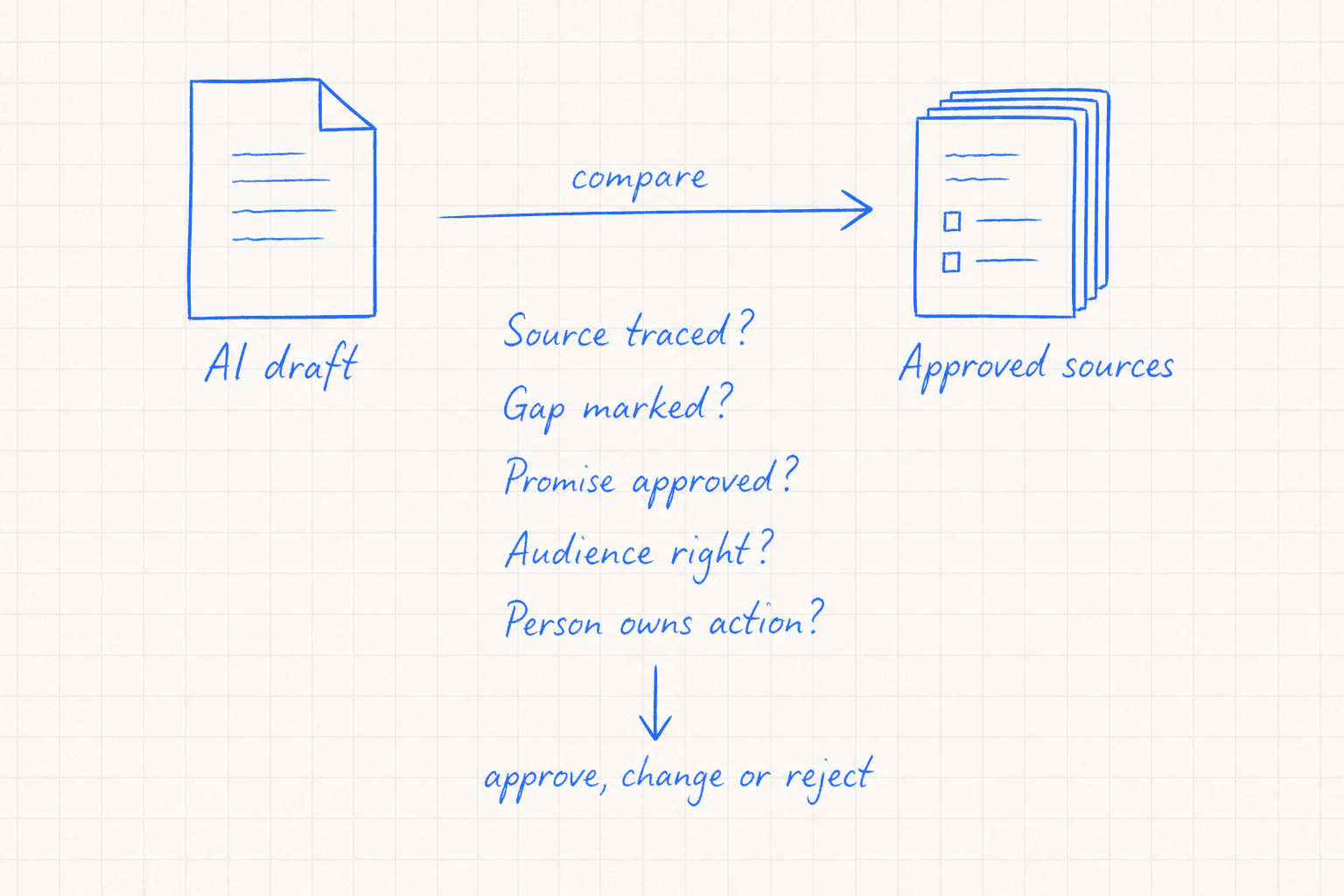
Use five checks for every proposed response.
- Source: Can each factual statement be traced to approved information?
- Gap: Has missing information been flagged instead of guessed?
- Promise: Has the draft introduced a commitment that nobody approved?
- Audience: Does the wording avoid assumptions about the recipient?
- Action: Is a named person responsible for approving, changing or rejecting it?
A handwritten review compares an AI draft with approved sources, checking traceability, gaps, promises, audience and ownership before the human decision.
OpenAI Academy recommends tracing important claims to a source and separating facts from assumptions. It also recommends checking names and dates alongside prices, policies and promises. A person remains responsible for the final decision.
Try the edges
Test a normal case, a gap and an exception
Start with a fictional enquiry that contains everything covered by an approved policy. The tool should use only the supplied facts and produce a draft that is easy to check.
Then remove an essential detail. The useful response is a clear request for more information. If the tool invents a package, fee or deadline, strengthen the instruction and run the test again.
Finish with a credible exception. A fictional customer might appear to include payment details while requesting an account change. Use a visible placeholder such as [PAYMENT DETAILS REMOVED]. The workflow should route the case to a person and avoid repeating the removed information.
These tests expose different failures. The first checks ordinary accuracy. The second shows whether the tool admits a gap. The third checks whether the surrounding workflow handles information that should never have reached the prompt.
Make it repeatable
Save the working version as a team routine
Once the three tests behave as expected, record the method so another colleague can run it without rebuilding the reasoning.
- the job in one sentence;
- the approved input sources and exclusions;
- the prompt or workflow instructions;
- the expected output;
- the test cases and review owner;
- a version number and review date.
Keep changing business facts in maintained sources rather than burying them inside the prompt. Review the information boundary again before adding connectors, wider access or unattended actions.
The aim is a useful task with enough context to work and a clear reason for every piece of information it receives.
Checked sources