
A task can feel faster when an AI tool produces something in seconds. That impression leaves out the time someone spends preparing the input, checking the response and repairing errors.
Glean’s Work AI Institute reports that 87% of digital workers use AI at work. Respondents estimate that automation saves roughly 11 hours a week, yet only 13% say their organisation performs significantly better because of AI. The same report says workers spend 6.4 hours a week feeding AI context, checking outputs and fixing mistakes. These are findings reported by Glean, rather than a universal measure for every workplace. Read the Work AI Index.
WRITER reports a similar gap in a survey conducted with Workplace Intelligence. The research covered 1,200 non technical employees who use AI at work and 1,200 C-suite executives. Its write-up says 79% of organisations face adoption challenges, while 29% report significant returns from generative AI. Read the enterprise AI adoption report.
A business can investigate that gap without launching a large measurement programme. Start with one recurring task and count the whole job.
Start With
Start with a recognisable piece of work
Consider a weekly project update prepared by an account manager. They collect notes from colleagues, identify changes and turn them into a short update for a client or senior manager.
An AI tool might produce the first draft in two minutes. The account manager may then spend time removing unsupported claims, checking dates and rewriting language that overstates progress. A colleague might catch another error after the update has circulated.
This affects the person preparing the update, the manager who approves it and anyone who acts on its contents. A misleading status can also create follow-up work for delivery teams.
Use this workflow for the smallest useful trial:
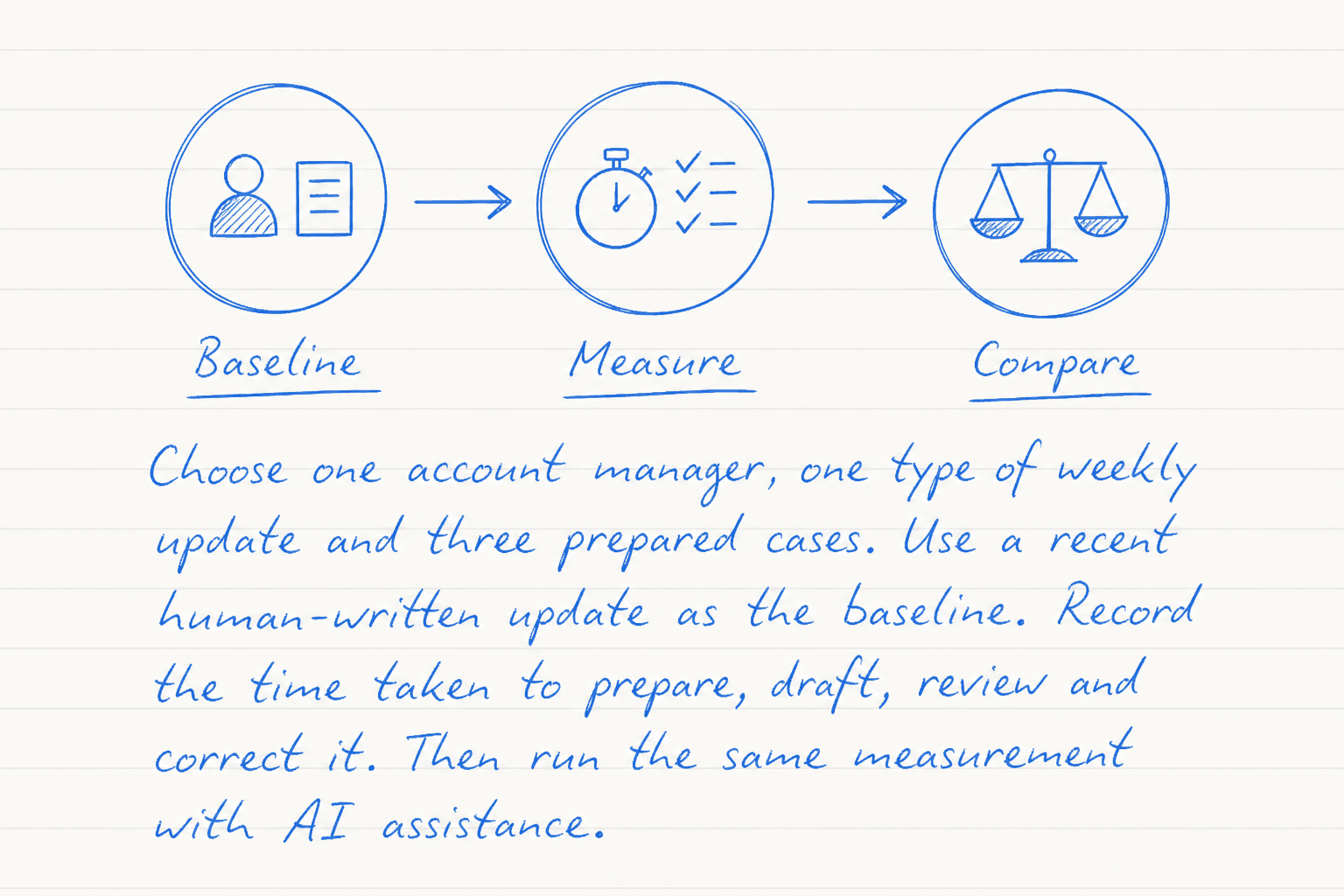
- Choose one account manager, one type of weekly update and three prepared cases. Use a recent human-written update as the baseline. Record the time taken to prepare, draft, review and correct it. Then run the same measurement with AI assistance.
The trial will not establish an organisation-wide return. It can tell you whether this particular workflow deserves another controlled test.
Give Tool
Give the tool a bounded context pack
The tool needs enough context to produce a useful draft. It does not need every message, document or customer record connected with the project.
Prepare a short context pack containing:
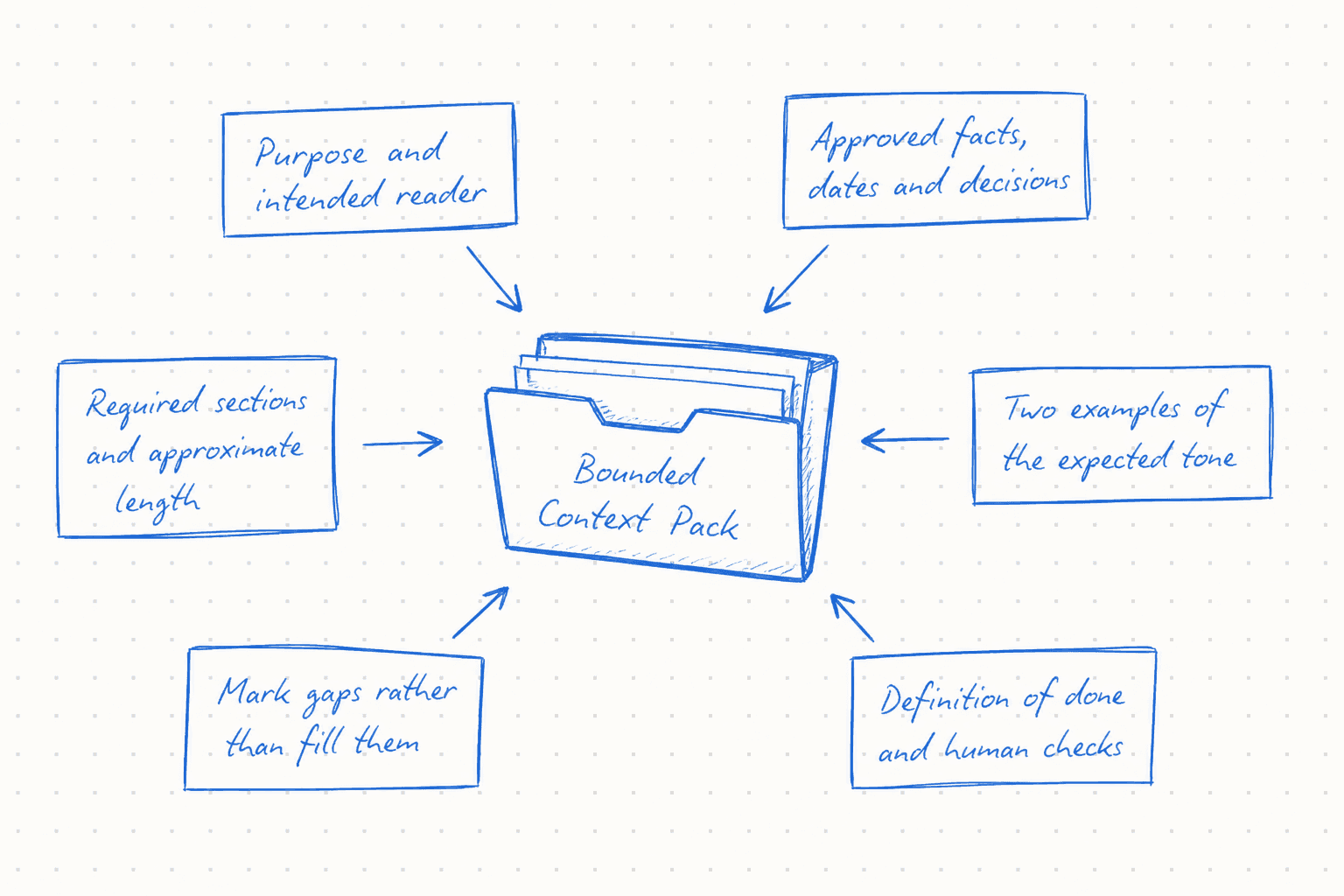
- the purpose of the update and its intended reader
- approved facts, dates and decisions from named source documents
- the required sections and approximate length
- two examples that represent the expected tone
- explicit instructions to mark gaps rather than fill them
- a definition of done, including the checks a person will perform
For example, tell the tool to distinguish completed work from planned work. Ask it to label any statement that lacks a source as INFORMATION NEEDED. That gives the reviewer something concrete to inspect.
Keep the source pack stable across the three cases. If you change the instructions after every weak response, record the time spent doing so. Instruction repair forms part of the work created by the tool.
Keep Unnecessary
Keep unnecessary and sensitive information outside
Follow your organisation’s approved tool and data policy. The trial should use an approved AI service and the minimum information required for the task.
Leave out personal data, credentials, private employee discussions and customer material that the tool has no reason to process. Remove commercially sensitive figures unless your organisation has approved that information for the chosen service and workflow.
You can often replace sensitive details with bounded labels. Use Client A, Project North or an approved reference number if the identity has no bearing on the draft. Summarise a private discussion as an approved decision rather than pasting the conversation.
WRITER reports that 35% of employees in its survey had entered proprietary information into public AI tools. That vendor-reported finding gives teams a practical reason to define the input boundary before a trial begins.
Count Whole
Count the whole job
Measure human working time in separate buckets. A single total will hide where the AI helps and where it creates extra work.
Record tool waiting time separately from human working time. Thirty seconds of generation time does not equal thirty seconds of labour if the employee can do something else while waiting. It still affects elapsed time when the person must watch the process or retry a failed request.
Use a simple calculation for each case:
Net human time change = baseline human minutes minus preparation, review, correction and downstream rework minutes
Keep quality beside the time figure. Record unsupported claims, incorrect facts, missed requirements and changes in meaning. A faster draft that produces more corrections may move work from the writer to the reviewer rather than reduce it.
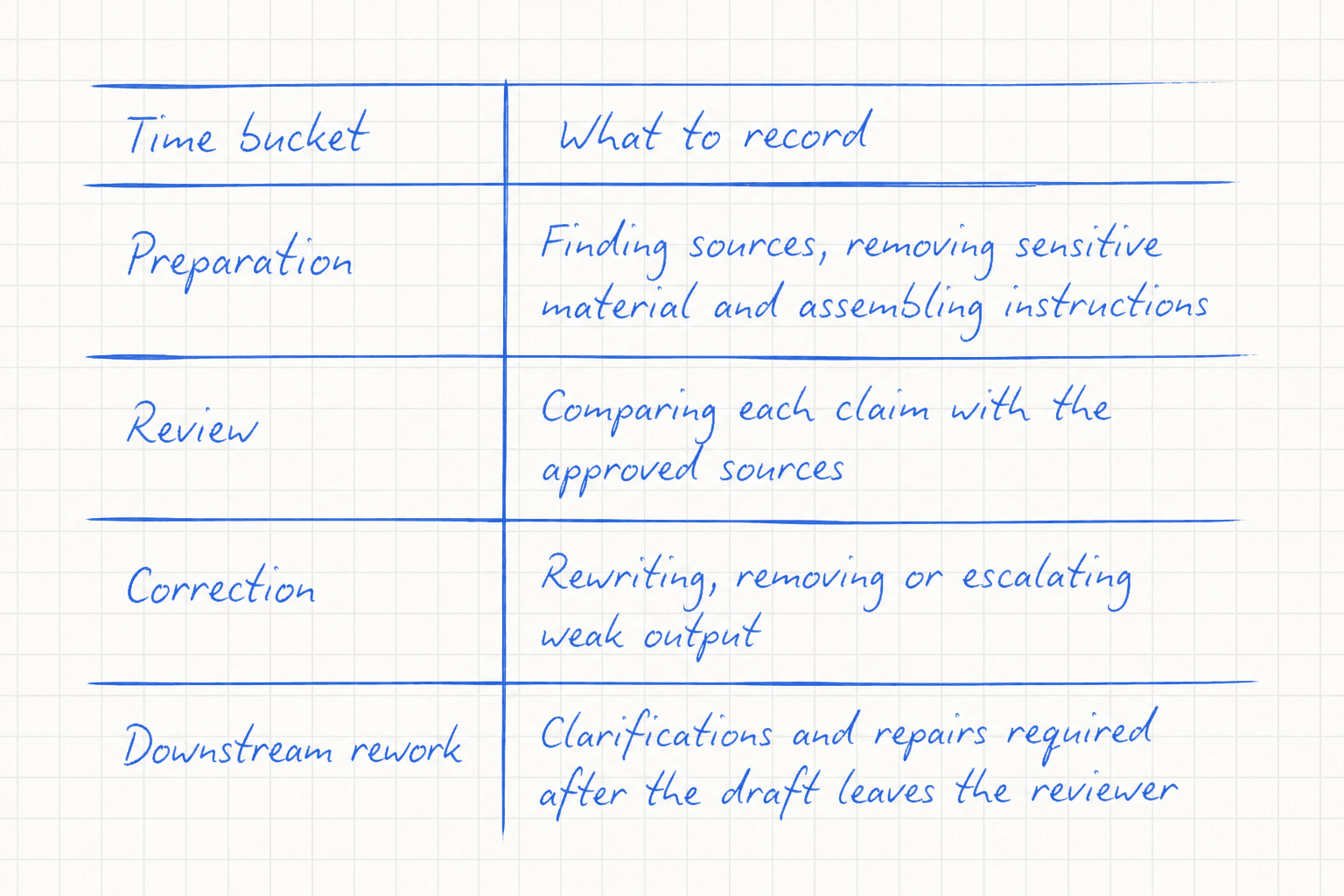
| Time bucket | What to record |
|---|---|
| Preparation | Finding sources, removing sensitive material and assembling instructions |
| Review | Comparing each claim with the approved sources |
| Correction | Rewriting, removing or escalating weak output |
| Downstream rework | Clarifications and repairs required after the draft leaves the reviewer |
Review Method
Use a review method another colleague can follow
Give one named person responsibility for the final decision. They should have access to the approved sources and enough subject knowledge to recognise a misleading summary.
The reviewer completes two passes:
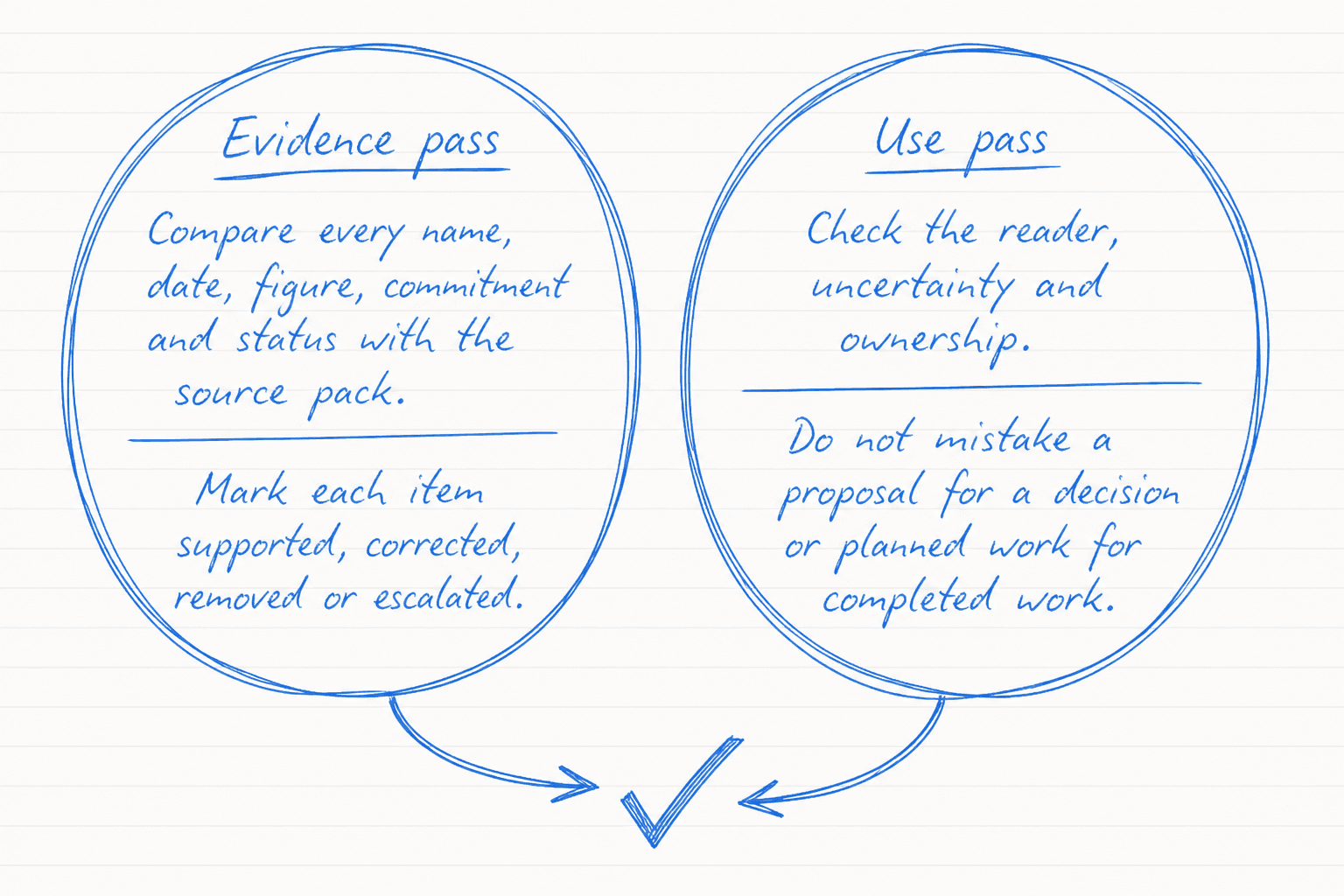
- In the evidence pass, compare every name, date, figure, commitment and status statement with the source pack. Mark each item as supported, corrected, removed or escalated.
- In the use pass, check whether the draft suits its reader, preserves uncertainty and makes ownership clear. Confirm that nobody could mistake a proposal for a decision or planned work for completed work.
Record the reviewer’s name, review time and decision. Keep the AI response and the approved version together during the trial so the team can see which changes were necessary.
If the reviewer cannot verify a statement, they should remove it or return it to the relevant colleague. The tool cannot approve its own assumptions.
Three Cases
Run three cases before expanding the trial
The cases should test behaviour that the workflow will encounter in ordinary use. Giving the tool three polished examples would test formatting more than reliability.
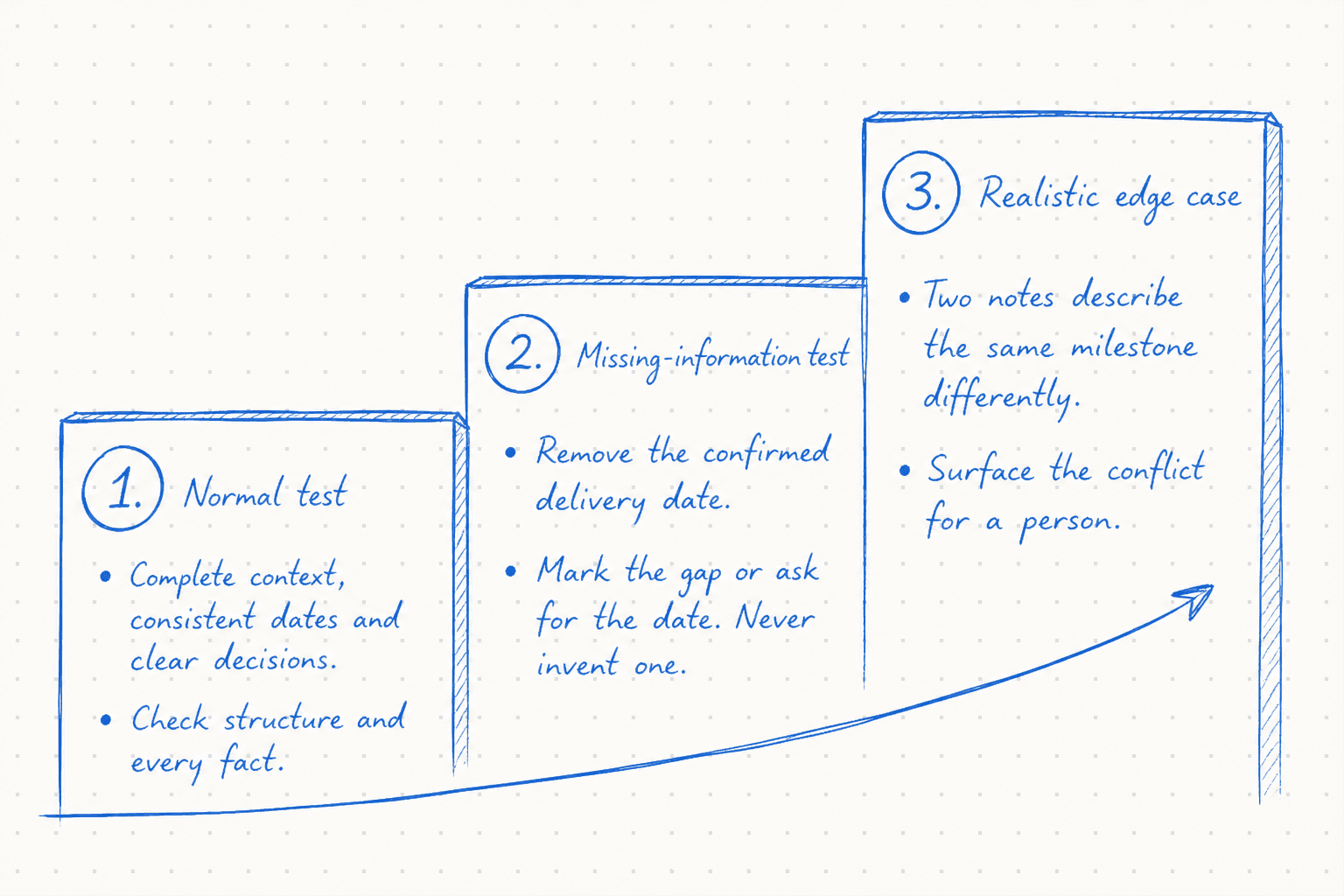
- Normal test: Supply a complete context pack with consistent dates and clear decisions. Check whether the draft follows the requested structure and preserves every fact.
- Missing-information test: Remove the confirmed delivery date. The useful response should mark the gap or ask for the date. Record a defect if it invents one or presents an estimate as confirmed.
- Realistic edge case: Include two notes that describe the same milestone differently. One says the work is complete; a later note says approval remains outstanding. Check whether the tool surfaces the conflict for a person instead of selecting the more convenient version.
Use the same review method for all three. A tool that performs well on the normal case and fails when information is missing needs a stronger boundary before the team relies on it.
Decide From
Decide from the evidence
Compare the three AI-assisted cases with the human baseline. Look at net human time, correction volume and the severity of any defects.
Agree the quality boundary before reading the results. For a client update, the team might require every factual statement to trace back to the approved source pack. Any invented commitment or confidential disclosure should stop the trial and trigger a review of the input, instructions and tool permissions.
A positive result means the workflow met the agreed quality level and reduced human work across the tested cases. A mixed result may still identify a narrower use. The tool could help with structure while a person writes the factual status section.
Do not convert minutes saved by one experienced user into a company-wide return. The WRITER and Workplace Intelligence survey illustrates why individual productivity and organisational return can diverge. Teams need a repeatable workflow, governance and a link to a business outcome before they can make that larger claim.
Make Useful
Make the useful version repeatable
Turn the successful trial into a short workflow card that the team can maintain. It should name the task owner, approved tool, permitted sources, excluded information and required reviewer. Include the three test cases and the quality boundary.
Store the context template and review checklist in a shared location. Add one approved example and one rejected example, with a short explanation of the defect. This teaches colleagues what acceptable work looks like without asking them to reconstruct the original experiment.
Keep a small measurement log for the next few uses. Record the four time buckets and any defect that reaches a colleague or customer. Review the log after the team changes its tool, model, instructions or source systems because the earlier result may no longer describe the workflow.
Someone should own that review. Without an owner, teams tend to retain the reported time saving and lose sight of the checking work that made the output usable.
Practical Closing
Practical closing: measure the next task from start to finish
Choose one recurring task that a colleague already understands. Capture a human baseline, prepare the minimum context pack and keep unnecessary information outside the tool. Then run the normal, missing-information and edge cases with one named reviewer.
Count preparation, checking, correction and downstream rework. The result may support a wider trial, a narrower role for the tool or a decision to keep the task human-led. Each outcome gives the business evidence it can use.
Checked sources